


Keep interviews, transcripts, and insights together — then group what you learn into clear themes you can carry into GTM.
1-Month Free
No credit card required
AI Customer research platform from
discovery through GTM
Steps
Discover how it works
How It Works

Step One


Start interviewing
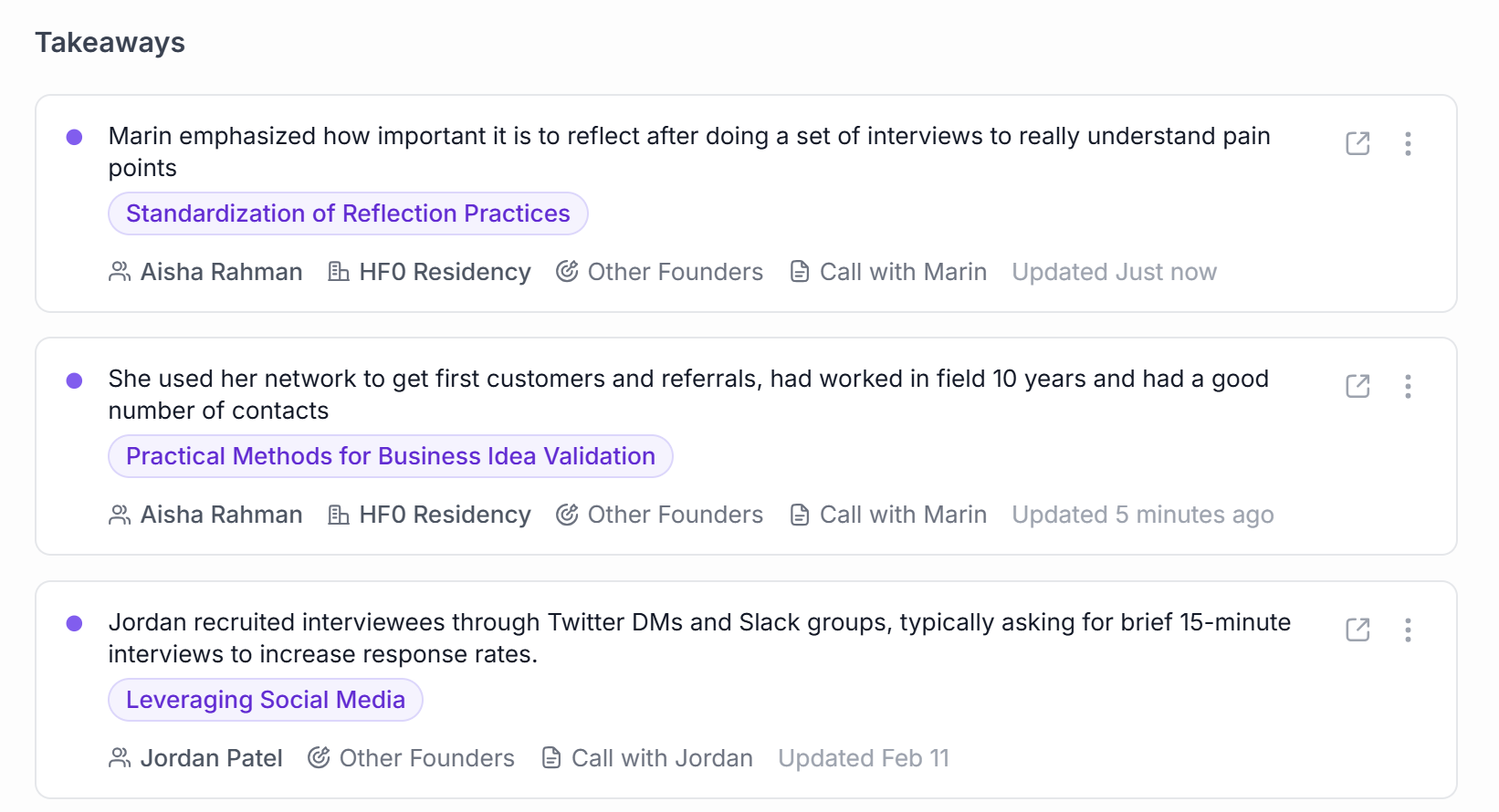
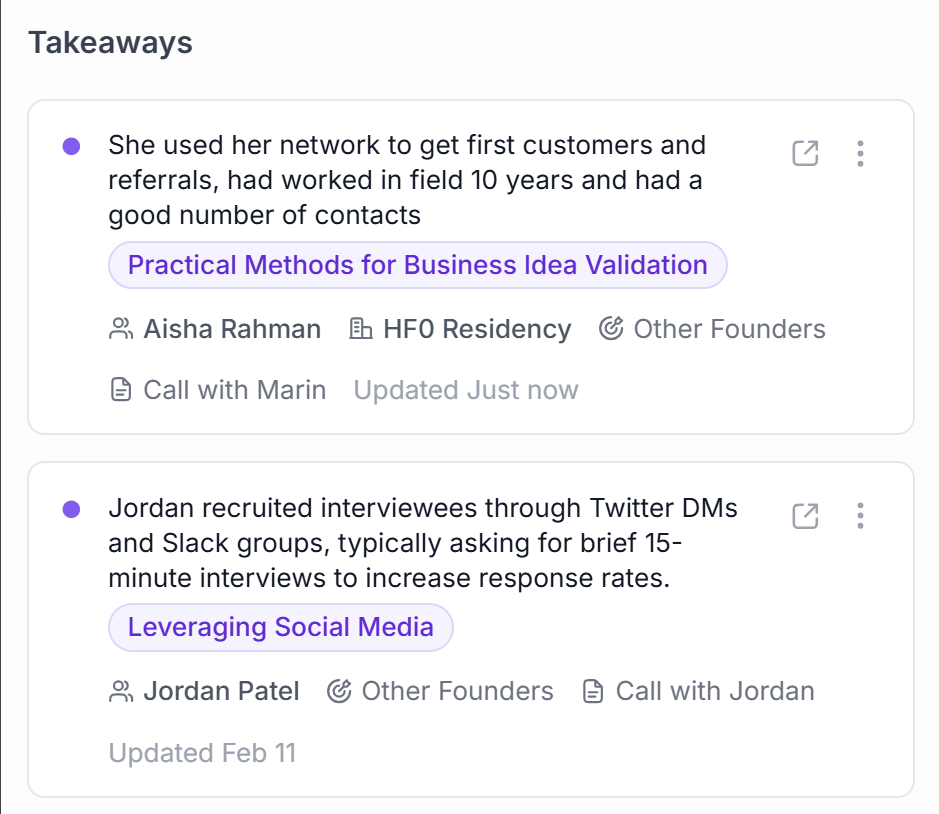
Store videos and AI generated pain points and takeaways.
Step Two


Opportunity: Develop a 1-1 program
Sarah Gibbons • 02/13/2026

Members want more interaction
Edward Billings • 02/12/2026
Opportunity: Consider community outreach
Aisha Mochi • 02/11/2026
Synthesize your learnings
Reflect on insights, tag themes, and nail your positioning.
Step Three
Idea: Integrate with Zoom
Impact

Effort
Ideate & iterate
Use your learnings to brainstorm new feature ideas & decide what to build next.
Interviews
One workspace
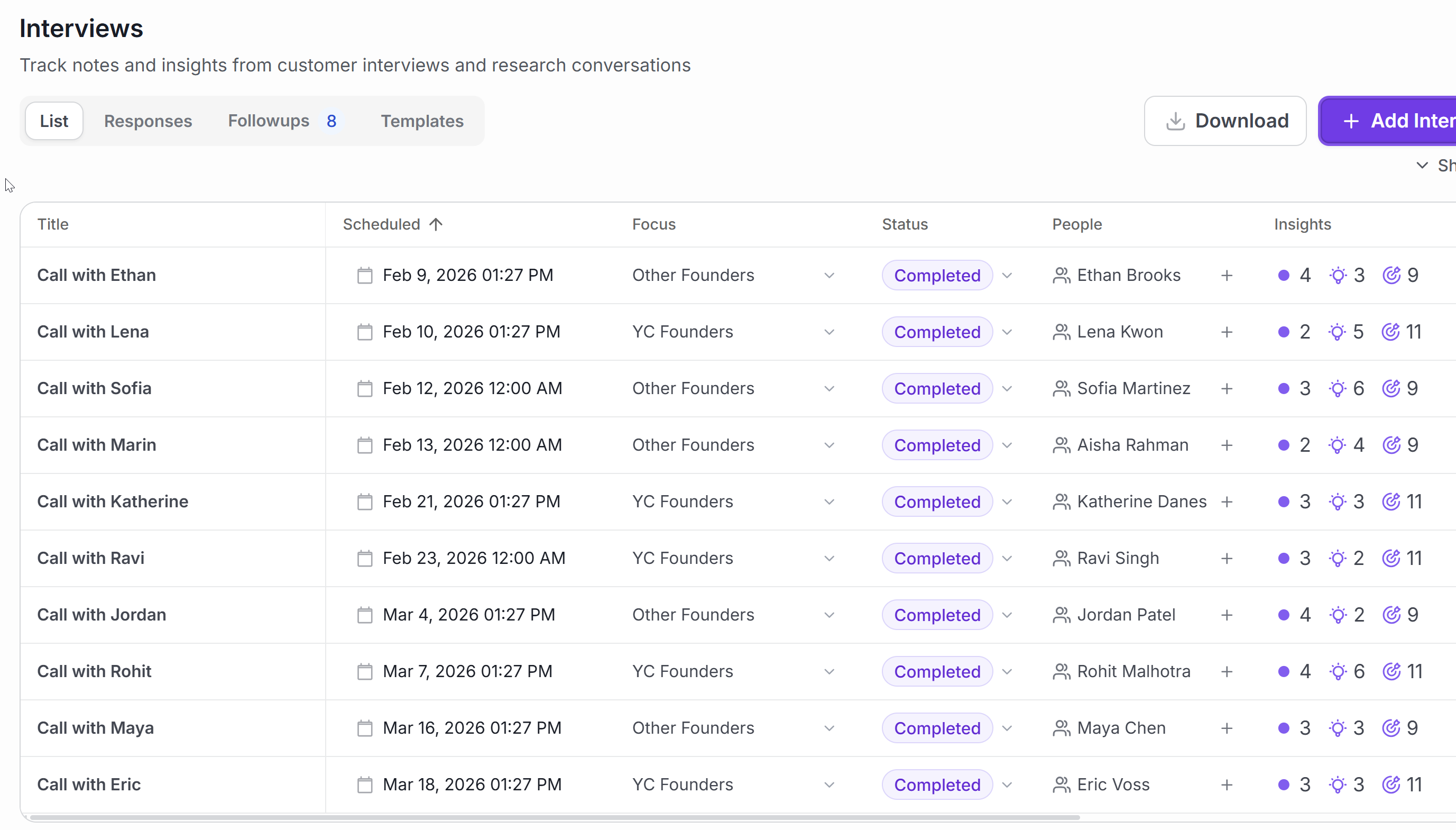
Plan interviews around the right people
Organize your interview list, prep, and questions in one place so it’s easier to see who you’ve talked to, who you still need to hear from, and what to ask next.
Plan interviews around the people and questions that matter most
Keep prep, templates, and follow-ups connected to each interview
See which conversations are done and which ones still need to happen
Interview Details
Side-by-side
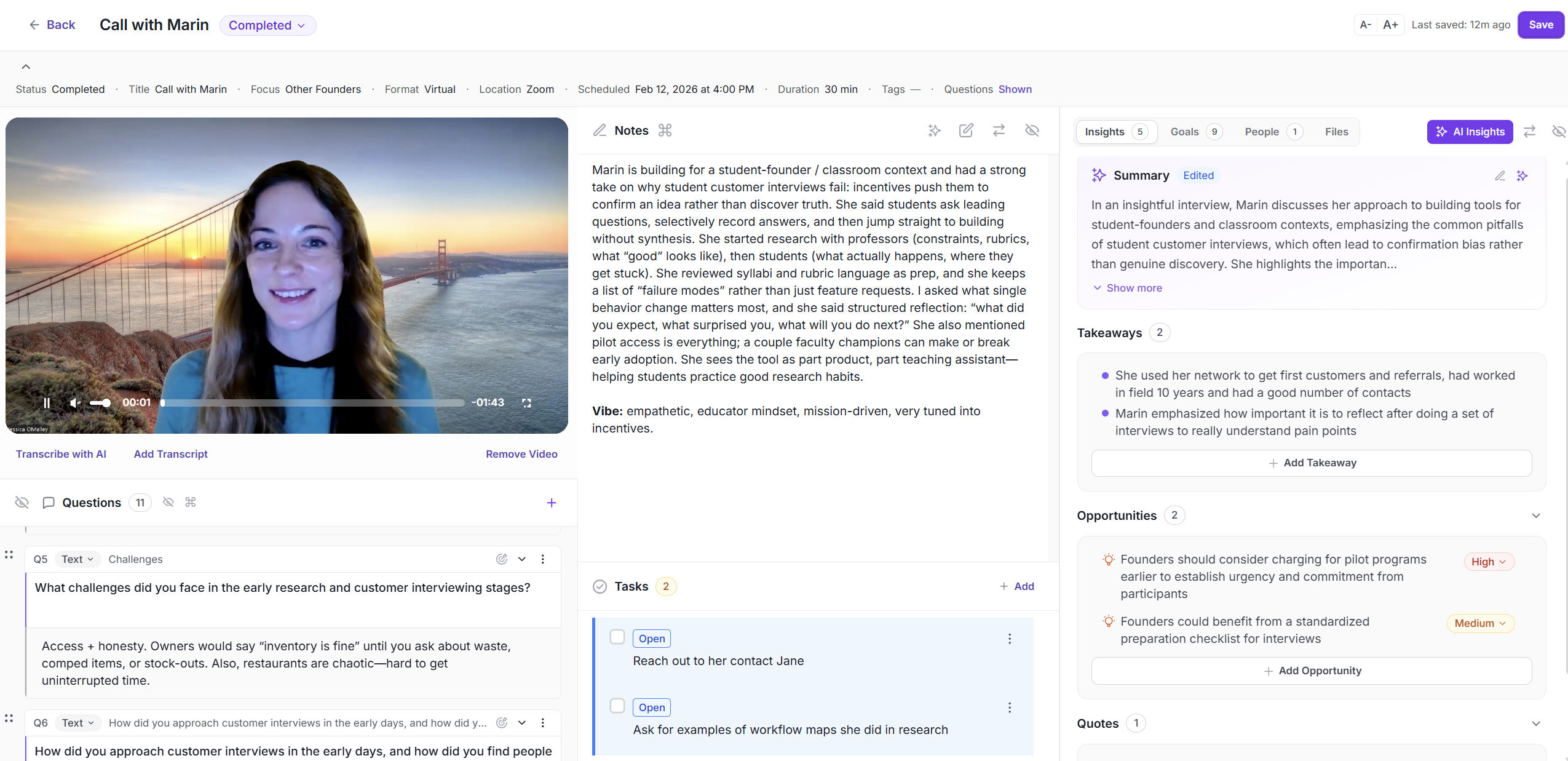
Keep everything from one interview together
Notes, responses, transcript context, insights, and follow-ups stay connected, so each conversation is still useful after the call ends.
See notes, responses, and transcript context side by side
Save takeaways, quotes, and opportunities on the same interview
Turn follow-ups into tasks while the conversation is still fresh
Themes
Tagged Insights
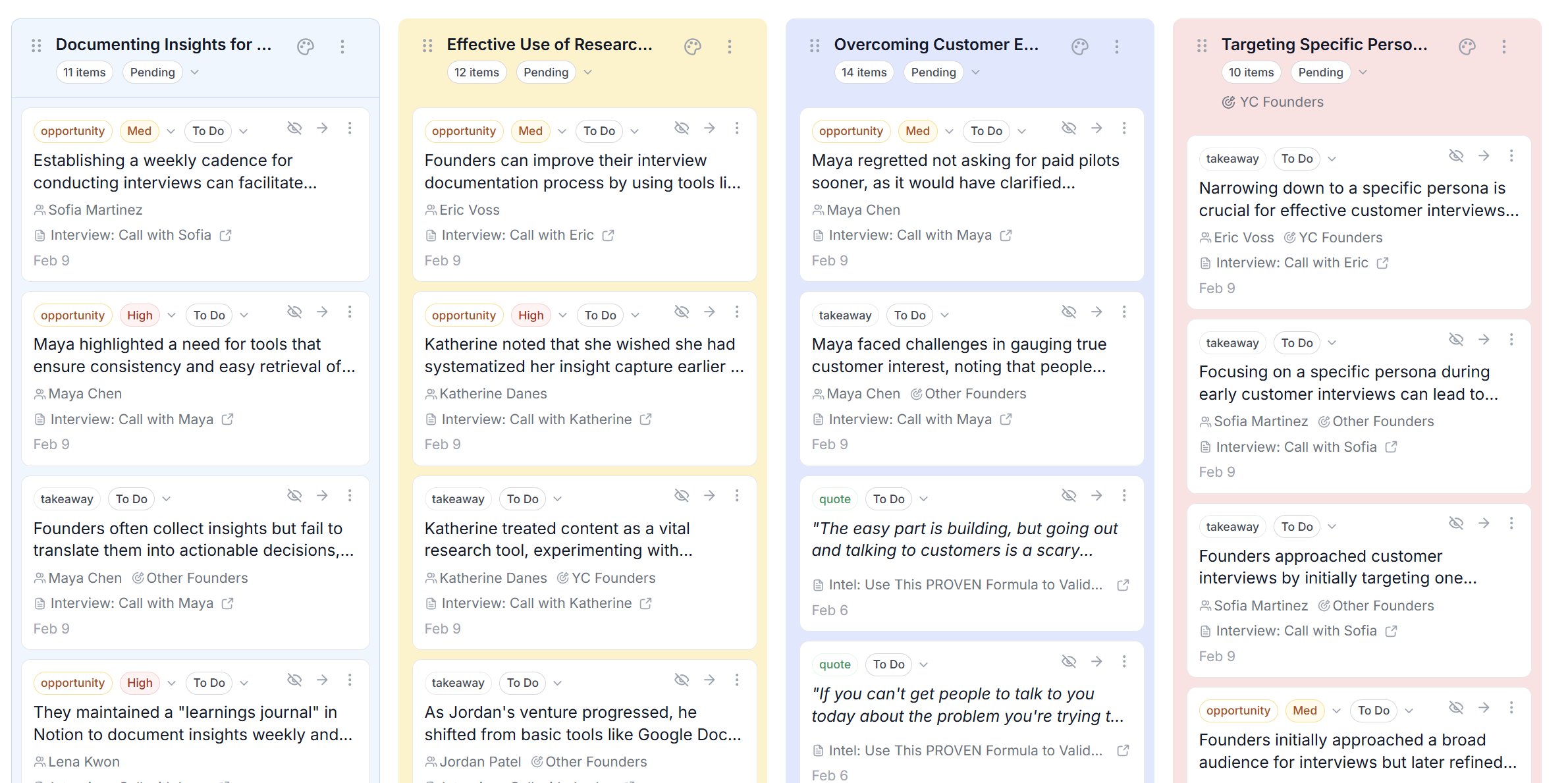
Group what you learn from customers into clear themes
See the bigger picture without losing the details. Review the themes coming out of your interviews as discovery turns into decisions.
Turn scattered notes into a short list of clear themes
Filter by status and priority to see what matters now
Keep each theme tied to the insights behind it
Who we're for
Builders - Founders & PMs
Intervool is built for your
research & the stage you're in

Founders + Builders
Build your interview --> iteration --> sales cycle.
Map out your target customer segments and turn your discovery into decisions.

Product Managers
Turn customer conversations into roadmap decisions.
Capture interviews, group insights into themes, and tie them back to the personas and segments you track.
Features
About Intervool
Research customer targets ➝ synthesize findings
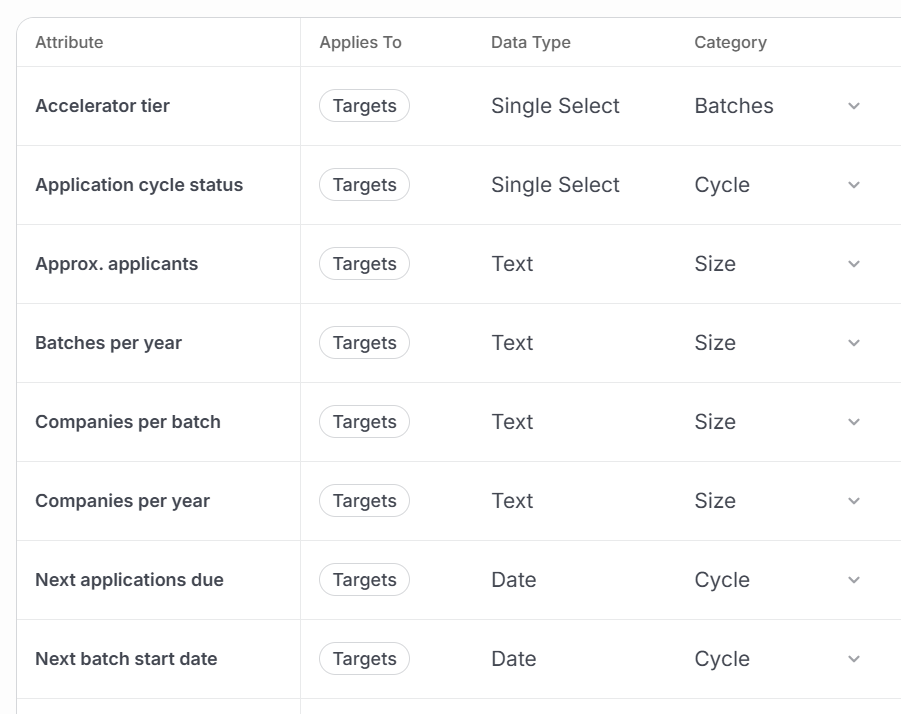
Narrow down your ICP
Create custom attributes for targets to track what matters to you & see matters most for them. What are you finding out from each segment?
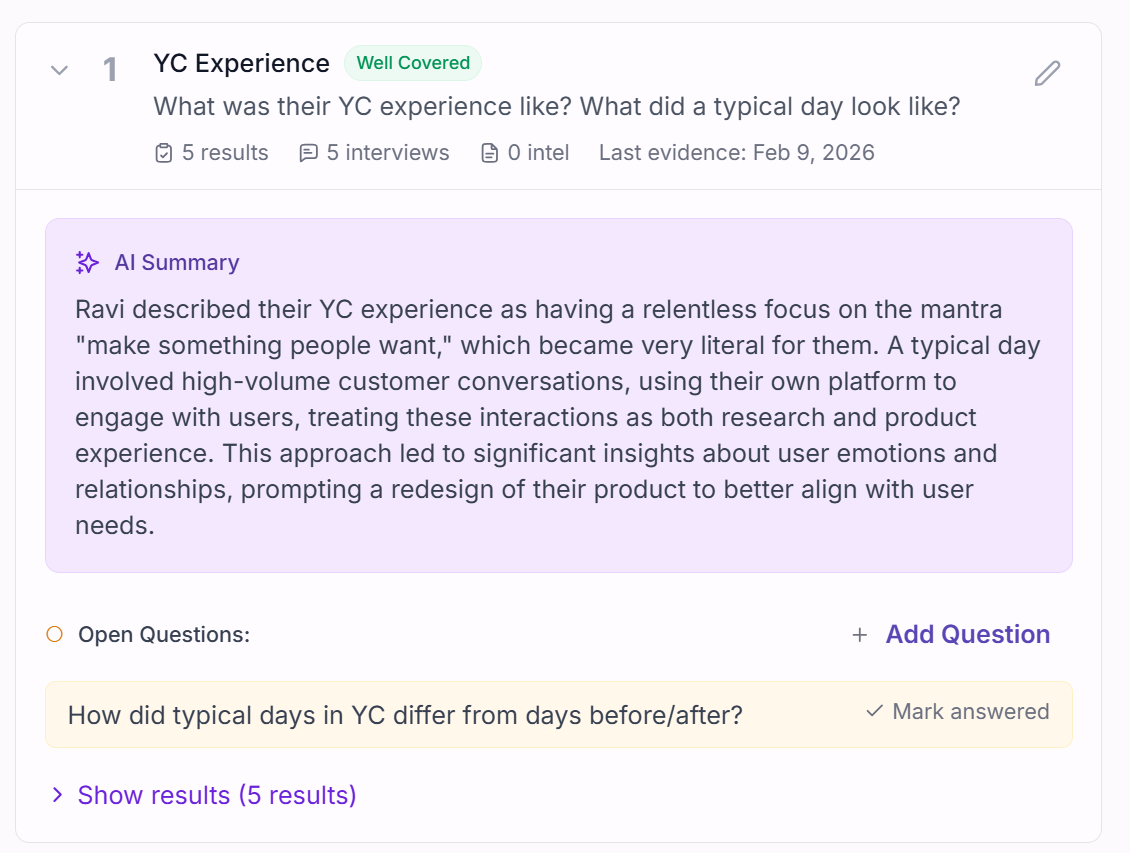
AI summarize what you learn
Collect notes, pull key takeaways, and track what still needs answers.
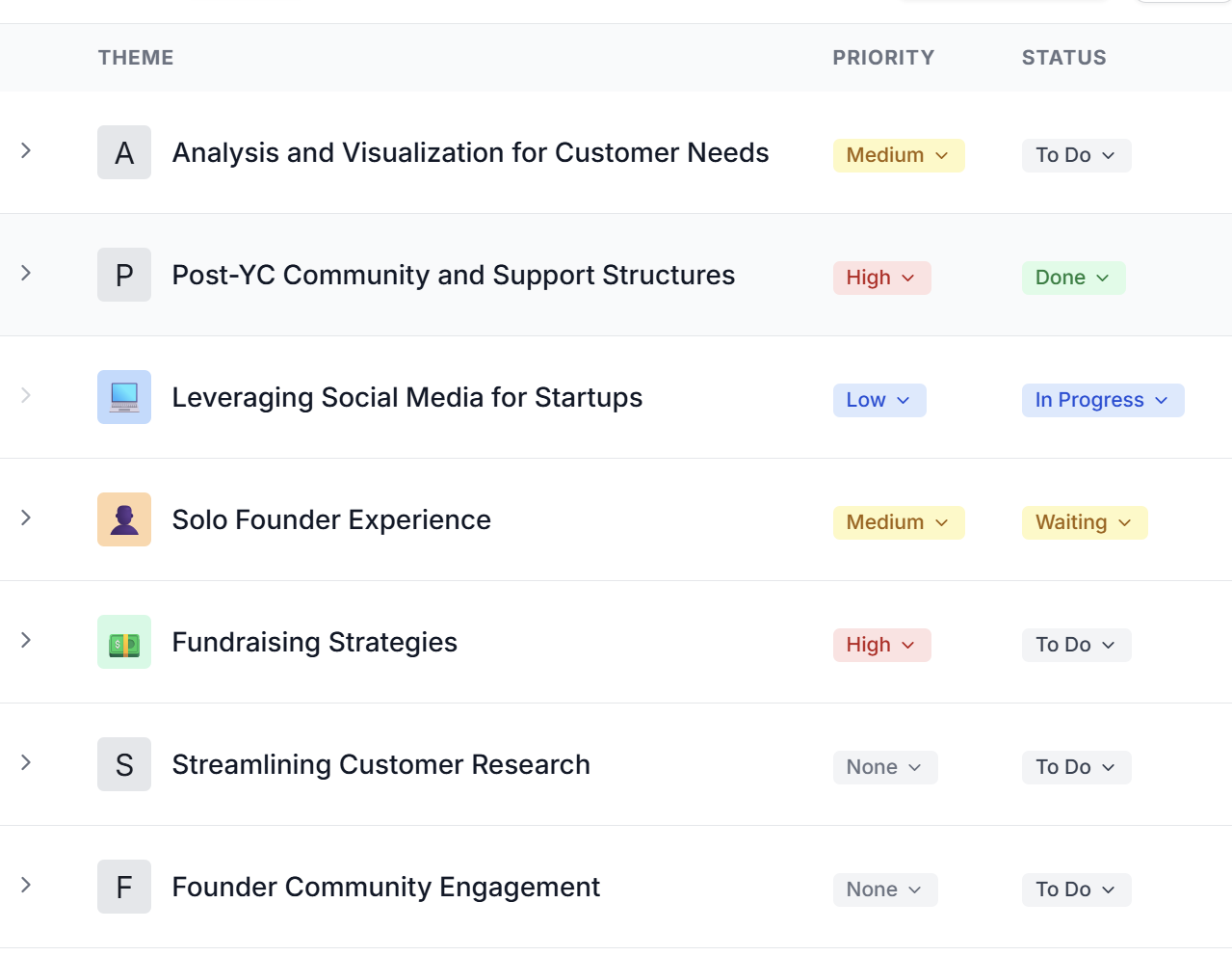
AI group insights into themes
Auto-group your interview findings into themes to see repeating patterns: top pain points & features you should look at building.
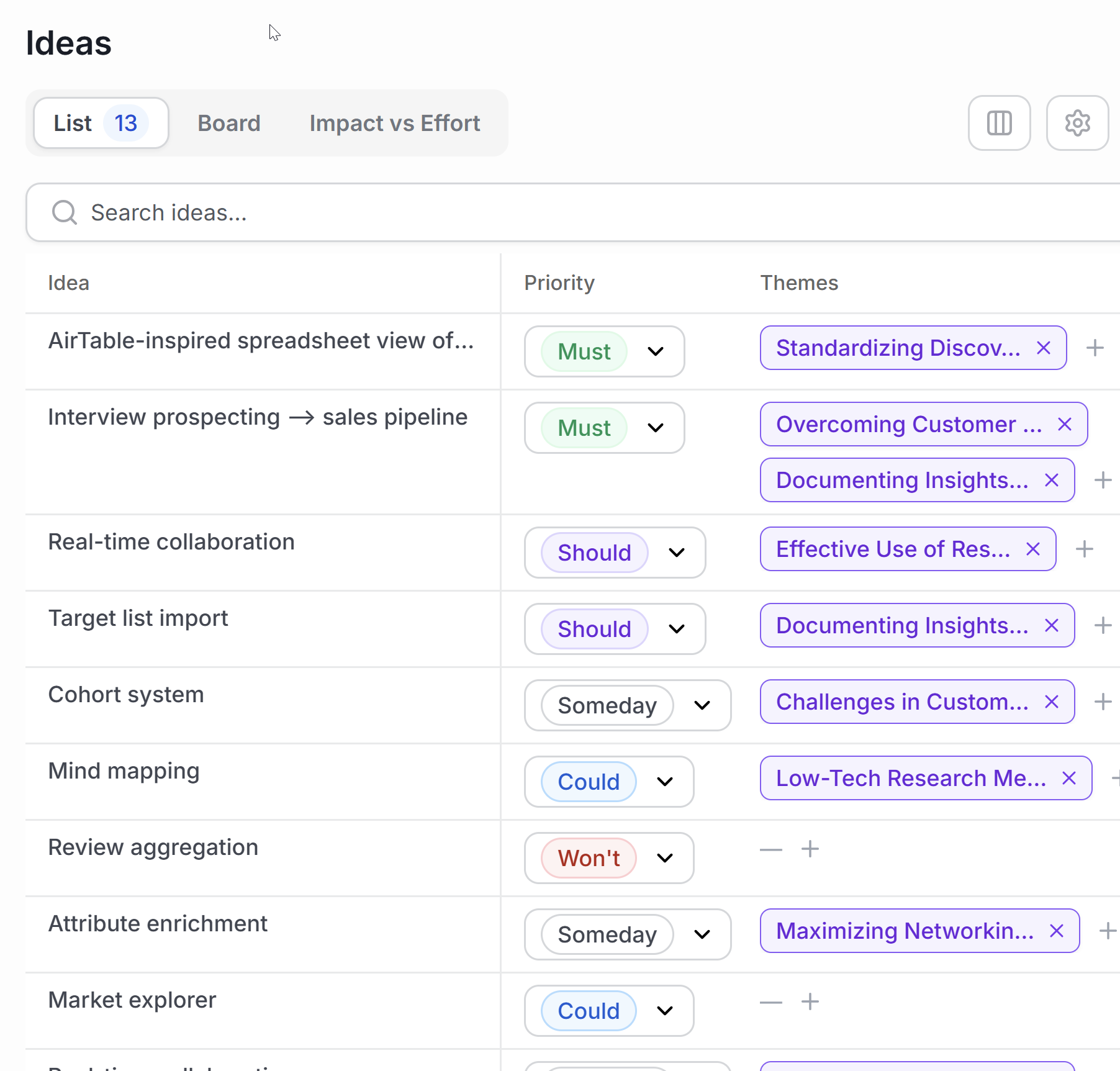
Prioritize your product ideas
Brainstorm ideas for your product using your insights. Score impact vs effort, and keep ideas linked to sources and themes.
Interviews in. Insights out.
Ready for insight powered research? Start your free trial today.

Support
FAQs
Frequently asked questions
Everything you need to know about the product.
1. What is Intervool?
Intervool is a workspace for startup teams to keep their research, synthesize what they learn, and carry discovery into GTM. In practice, it helps you move from targets and interviews to takeaways, themes, ideas, and follow-ups without losing context along the way.
2. Who is Intervool for?
Intervool is built first for founders, builders, and founding PMs who are talking to customers quickly and want a lightweight way to keep learning reusable. It also fits accelerators that want to give founders a better way to find customers and validate ideas.
3. How is Intervool different from a notes app?
Notes apps are fine for capturing conversations, but they usually stop there. Intervool is built to connect who you talked to, what you were trying to learn, what came out of those conversations, and how those insights group into themes and next steps.
4. Is Intervool a CRM?
Similar, but Intervool is better thought of as a discovery-to-GTM workspace. It helps you find the right people, capture interviews and intel, synthesize patterns, and keep that learning usable as you move toward early sales.
5. Can I use my existing customer lists?
Yes — you can use your existing lists as a starting point and then organize targets around the attributes that matter to you.
