All your interviews. One searchable home.
Add interviews from video calls, audio recordings, or written notes. Intervool transcribes everything, keeps your notes alongside the recording, and makes every conversation searchable — so nothing gets lost in a folder somewhere.
What is the Interview Library?
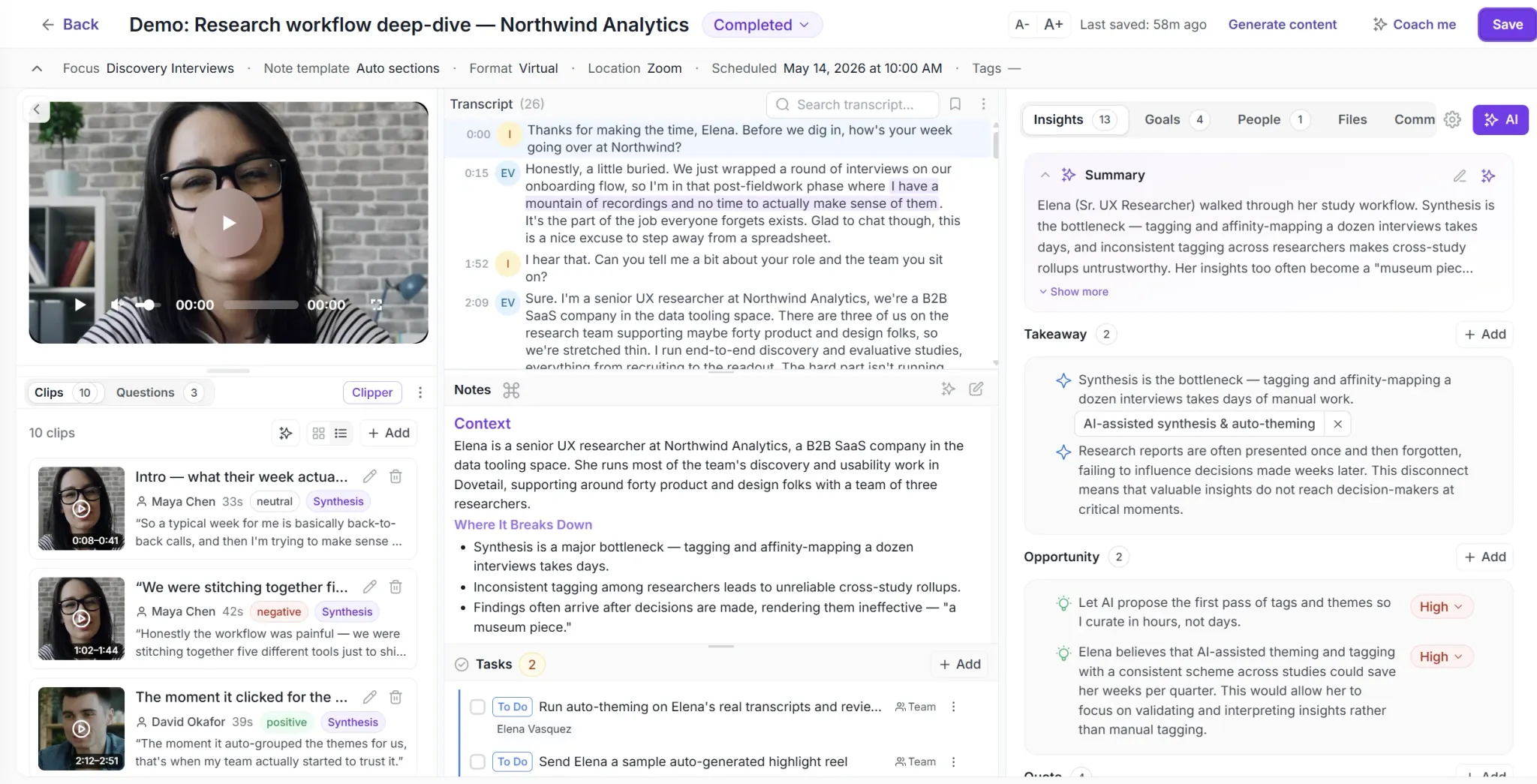
The Interview Library is where all your customer research lives. Upload a video or audio recording, or add notes from an in-person conversation — Intervool transcribes it, organizes it, and makes it searchable. Each interview shows the video, transcript, your notes, and the questions you asked, all in one view.
What you can do with Interview Library
Add any format
Upload video (MP4, MOV, WebM), audio (MP3, WAV, M4A), or add written notes. Intervool handles them all.
Auto transcription
Video and audio transcribed automatically with speaker identification. Accurate even with accents and technical jargon.
Notes, cleaned up by AI
Take notes while watching or while conducting the interview — then let AI tidy them up. Your notes live next to the transcript and recording.
Interview questions
See the questions you planned to ask, right in the interview view. Track which ones you covered.
Searchable library
Search across all interviews by keyword, person, company, or date.
Organized by series
Group related interviews under a series — a segment or research question — so you're building a body of research, not a pile of one-off files.
Add an interview quickly
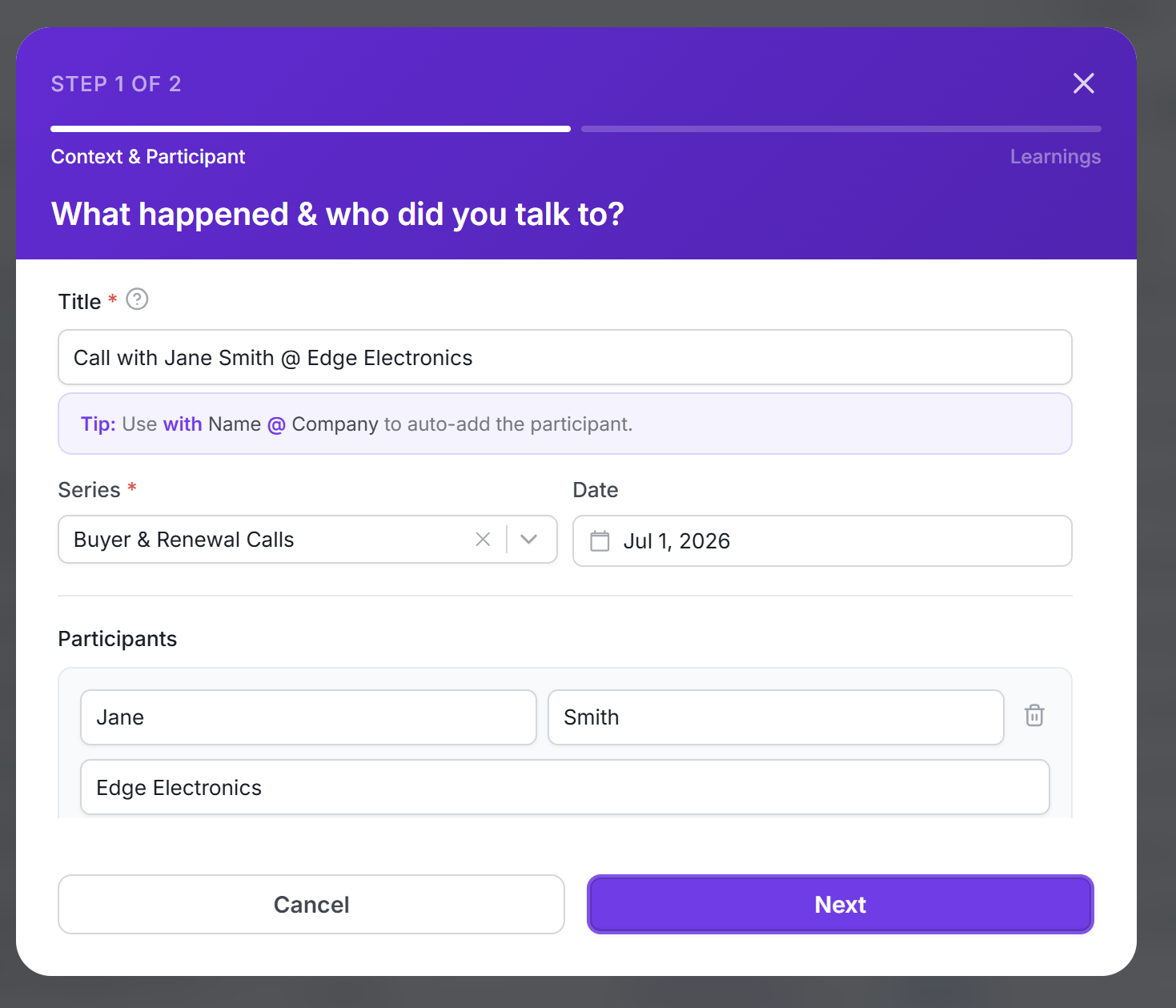
Add the person you spoke with, tag it to a series, and drop in the recording or your notes. Intervool transcribes it and files everything on one record — context, participant, and date included.
Every interview in one searchable list
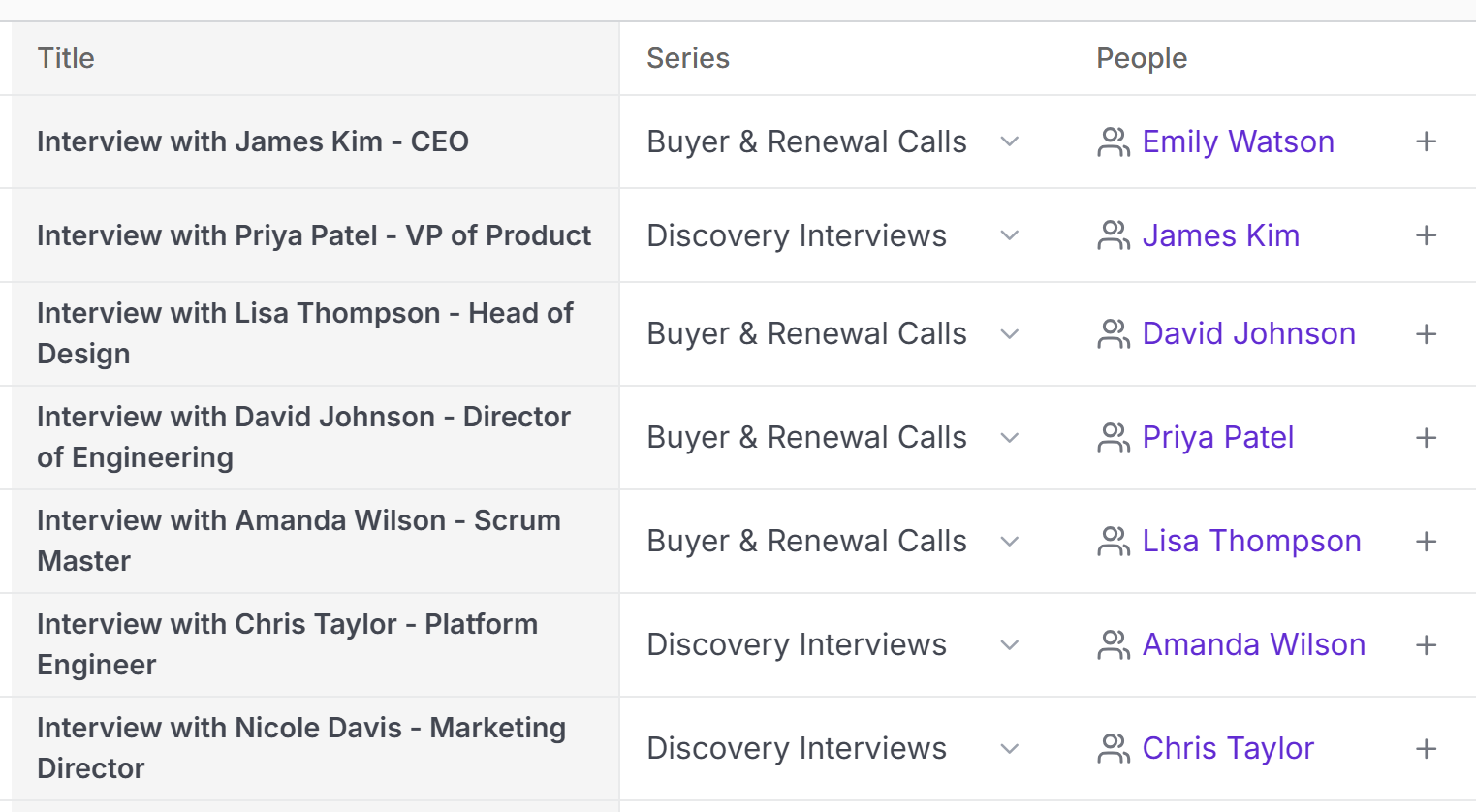
Your whole library at a glance — filter and search by person, company, series, or date. Related conversations stack under the same series, so you're working with a body of research instead of scattered files.
Everything about an interview in one view
Video, transcript, your notes, and the questions you asked — all side by side on a single record. Jump to any moment, read the transcript alongside the recording, and keep your takeaways attached to the conversation they came from.
Common questions
What formats can I upload?
Video (MP4, MOV, WebM), audio (MP3, WAV, M4A), or written notes — upload the file and Intervool imports and transcribes it.
How accurate is the transcription?
Intervool uses AssemblyAI for transcription, which handles accents, cross-talk, and technical jargon well. You can edit transcripts if needed.
Can I add notes during the interview?
Yes. Take notes while you're conducting the interview or while watching it back — video, transcript, and notes sit side by side. AI can clean up your rough notes into something readable, and everything saves automatically.
How do I find old interviews?
Use the search bar to find interviews by keyword, person name, company, or date. You can also filter by tags or interview type.
See Interview Library in action
Try Intervool free for 14 days. No credit card required.