The fourteen methods worth knowing, what question each one actually answers, how many users you need, which tools run it, and how to pick the right one instead of defaulting to a usability test.
What is UX research?
UX research is the practice of gathering evidence about what users need, do, and struggle with, so design and product decisions rest on observation rather than opinion. A UX research method is a repeatable way of collecting that evidence — and each method answers a narrow question well and every other question badly.
That last point is where most UX research goes wrong. Teams pick a method by familiarity — a usability test, because the prototype is right there — and then ask it a question it structurally cannot answer. A usability test can tell you that four of five users completed checkout. It cannot tell you whether anyone wanted the thing being checked out, because it only ever tests execution. Choosing the method is not a formality before the research; it is most of the accuracy of the result.
The reliable pattern is to move from generative to evaluative, and from why to how many. Discover what's really going on with interviews and observation, then test whether what you built works, then size it. Doing it in the other order produces precise measurements of the wrong thing.
The two axes: generative vs evaluative, qualitative vs quantitative
Every method sits somewhere on both axes, and knowing where tells you what you can legitimately claim from the result.
Axis
What it gives you
What it can't
GenerativeDiscover · before building
Problems, needs, and opportunities you didn’t know about
Tell you whether a specific design works
EvaluativeTest · after building
A verdict on whether what exists is usable and understood
Tell you whether it was the right thing to build
QualitativeDepth · small n
Motive, context, cause, and the language users use
Size anything, or prove a difference
QuantitativeScale · large n
Frequency, magnitude, and statistically real differences
Explain anything you didn’t already think to ask
A useful habit: before running anything, write down the sentence you hope to be able to say afterwards. If it contains a number, you need a quantitative method. If it contains the word “because,” you need a qualitative one. If it starts with “users need,” you need a generative one; if it starts with “users can,” an evaluative one.
The 14 UX research methods
Each one below leads with the question it answers, because that's how you should be choosing. Sample sizes are working rules of thumb for product and design teams, not academic thresholds. Every entry names the tools that run it.
User interviews
Generative · Qualitative
What problem do users have, and how do they deal with it today?
A semi-structured conversation, usually 30–45 minutes, about real past behavior rather than hypothetical preference. It's the highest-yield generative method and the one most teams should run first, because it's the only method that will surprise you — every evaluative method tests something you already thought of. Tools: Intervool, Lookback, Looppanel, Dovetail; recruit via User Interviews or Respondent.
Sample size:
5–8 per user group to spot themes, 12–15 to trust them
Watch out for:
Leading questions and hypothetical framing. 'Would you use this?' invalidates the answer.
What do users actually do, in the place they do it?
Watching someone work through a real task in their real environment, asking as they go. It surfaces the workarounds, spreadsheets, and side-channels people never mention in an interview because they've stopped noticing them. Expensive in time and worth it exactly once per workflow you care about. Tools: a screen recorder or Lookback for remote sessions; Intervool to synthesize the recordings.
Sample size:
4–6 sessions per workflow
Watch out for:
Turning it into an interview. Watch first, ask second, and let silences run.
Diary studies
Generative · Qualitative
How does the experience unfold over days or weeks?
Participants log entries — text, photo, or video — as they go about a task over time. It's the only practical way to study things that happen infrequently or across sessions: onboarding over a fortnight, a monthly reporting cycle, a slow-building frustration. Tools: Dscout is the specialist; a shared form plus follow-up interviews works for small studies.
Sample size:
8–15 participants over 1–4 weeks
Watch out for:
Participant drop-off. Prompt daily and pay properly, or you'll finish with half the data.
Jobs-to-be-done switch interviews
Generative · Qualitative
What made them switch — and what nearly stopped them?
An interview structure that reconstructs a purchase or churn decision along a timeline: first thought, passive looking, active looking, deciding, first use. Because it anchors on an event that happened, it gets at the forces behind the switch — push, pull, habit, anxiety — rather than a rationalized story. Tools: any interview tool; the structure is the method.
Sample size:
8–12 recent switchers (or churners)
Watch out for:
Interviewing people who switched too long ago. Under 90 days keeps the memory usable.
Focus groups
Generative · Qualitative
How does a group talk about and react to a topic?
Six to eight people discussing a topic with a moderator. Useful for language — how users describe the problem in their own words — and for surfacing disagreement quickly. Poor for anything else: the dominant voice sets the tone within minutes and individual opinions converge toward it.
Sample size:
2–3 groups of 6–8
Watch out for:
Groupthink. Never use a focus group to decide something one-to-one interviews could decide.
Structured questions sent to many users at once. Excellent at sizing something you already understand and terrible at discovering something you don't — every answer option you write is a guess you're asking people to confirm. Run them after interviews have told you which question is worth asking. Tools: Typeform, Tally, Sprig for in-product, Lyssna and Maze for research surveys.
Sample size:
100+ responses for a directional read; more for segment cuts
Watch out for:
Non-response bias. The people who answer are systematically different from the ones who don't.
Card sorting
Generative · Mixed
How do users group and name these things?
Participants sort content or features into groups that make sense to them — open sorts (they name the groups) for discovering a mental model, closed sorts (you name the groups) for validating one. It's the standard first step in designing navigation and information architecture. Tools: Optimal Workshop is definitive; UXtweak, Maze, and Lyssna include it.
Sample size:
15–30 for open sorts; 30+ for closed sorts you'll analyze quantitatively
Watch out for:
Sorting your internal jargon. Use the labels users would see, not the ones your team uses.
Participants are given a task ('where would you go to change your billing address?') and navigate a text-only version of your hierarchy. It tests the structure and labels in isolation from visual design, and it's the natural follow-up to a card sort. Tools: Optimal Workshop, UXtweak, Maze, Lyssna.
Sample size:
30–50 for a reliable success rate per task
Watch out for:
Testing only the happy path. Include tasks you suspect are hard to find.
First-click testing
Evaluative · Quantitative
Do users know where to start?
Show a design, give a task, record where the first click lands. Research on first clicks shows a correct first click predicts task success far better than a wrong one, which makes this a cheap early warning on a design's clarity. Tools: Lyssna, UXtweak, Optimal Workshop, Maze.
Sample size:
20–30 per design
Watch out for:
Static screenshots of dynamic UI. Make sure the design shows what a user would actually see first.
Moderated usability testing
Evaluative · Qualitative
Where exactly do they get stuck — and why?
A live session in which a participant attempts tasks on a prototype or product while you observe, think-aloud, and probe. It's the method that explains failures rather than counting them, and it's the right choice when the flow is complex or the stakes are high. Tools: Lookback, UserTesting, Userlytics, UXtweak, PlaybookUX; Intervool to synthesize the recordings and debriefs.
Sample size:
5 per round catches most issues; iterate in rounds
Watch out for:
Helping. The moment you rescue a stuck participant, you've deleted your own finding.
Participants complete tasks alone while the tool records completion, time, click paths, and misclicks, often on a Figma prototype. Faster and cheaper than moderated sessions and better at producing numbers; blind to why anyone failed. Tools: Maze, Lyssna, UXtweak, Useberry, Loop11; UserTesting and Userlytics for panel access.
Sample size:
15–30 per task for usable completion rates
Watch out for:
Ambiguous task wording. Pilot with two people before sending to thirty.
Does the idea land — and which version do users prefer?
Putting a description, mockup, or two design variants in front of the target audience and measuring reaction — comprehension, perceived value, preference. The strongest versions ask for a real commitment rather than a rating, because stated and demonstrated interest diverge sharply. Tools: Lyssna and Maze for preference tests; a landing page for commitment tests.
Sample size:
15–30 for reactions; more if you're measuring conversion
Watch out for:
Politeness. People will not tell you your idea is bad; make them do something instead.
A/B testing
Evaluative · Quantitative
Which built version performs better, at scale?
Splitting live traffic between variants and measuring the difference against a metric. The most reliable evidence available for choosing between two options you've already built — and it can only compare things that exist, which makes it a refinement method, not a discovery one. Tools: your product's experimentation platform; Mixpanel for analysis.
Sample size:
Enough traffic for significance — often thousands per variant
Watch out for:
Calling it early. Stopping a test the moment it looks good is how teams ship noise.
Behavioral analytics & session replay
Evaluative · Quantitative
Where do people drop off, without being asked?
Funnels, session recordings, and heatmaps showing what people did in the product. Unprompted, unbiased, available in volume — and silent on motive. Its best use in UX research is targeting: find the step with the drop-off, then interview or test the people who dropped. Tools: Microsoft Clarity (free), Hotjar, Mixpanel.
Sample size:
All of it — this is a population, not a sample
Watch out for:
Inventing the why. Analytics generates hypotheses; it never confirms them.
Interviews, contextual inquiry, and moderated usability sessions generate the most raw material
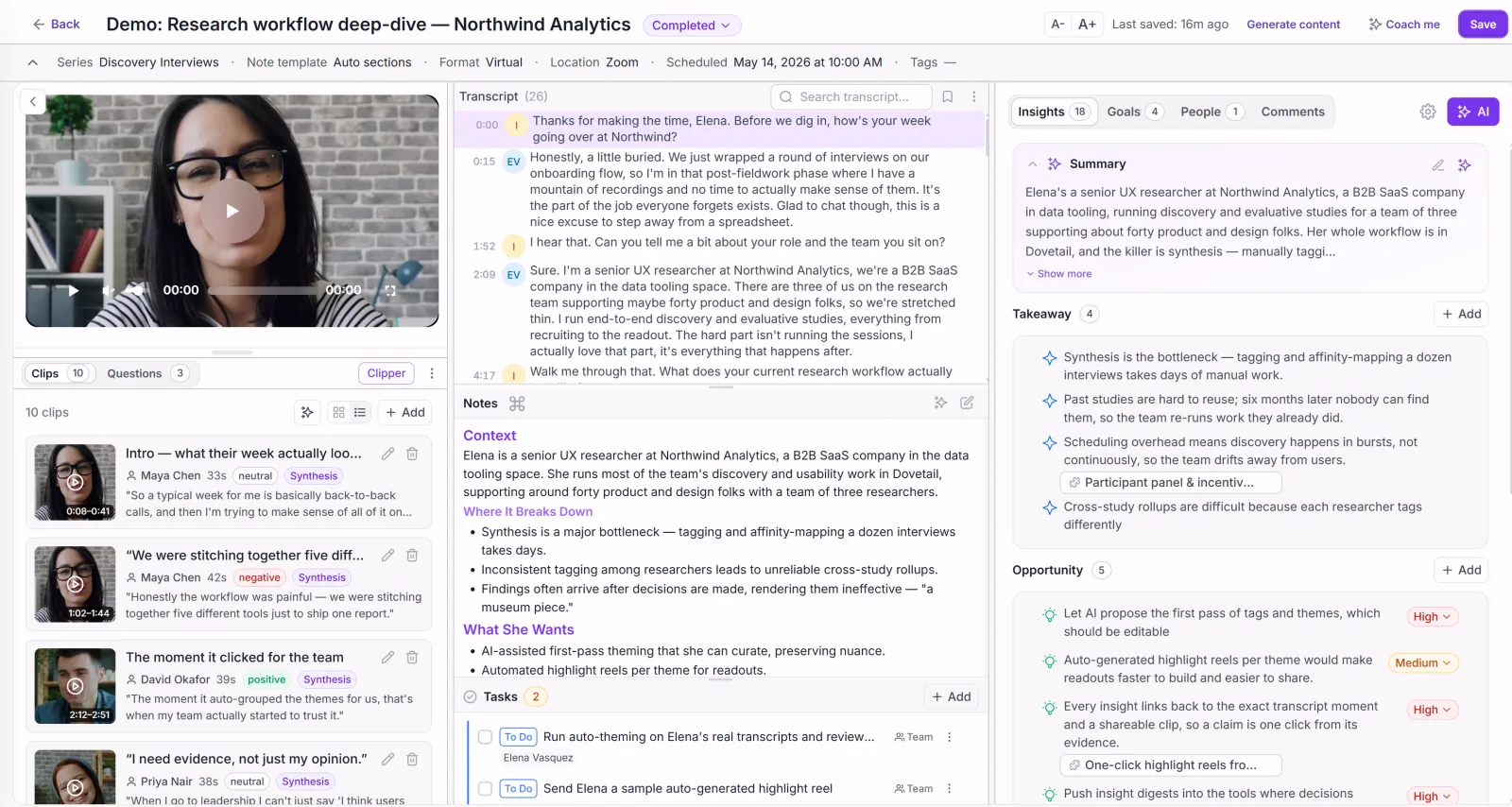
Recordings, transcripts, and debrief notes that have to become themes before they mean anything — and the step where most UX research quietly stalls.
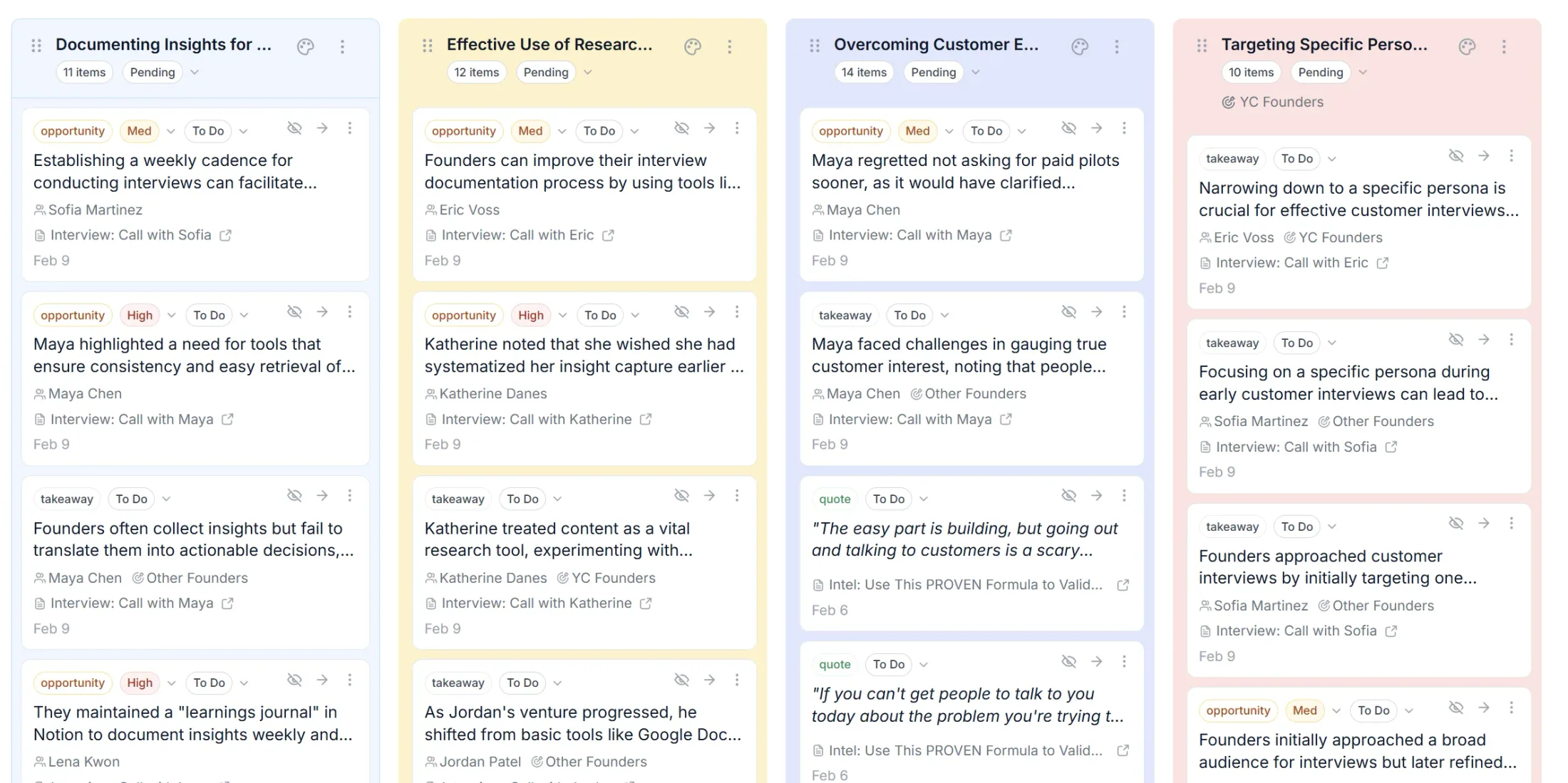
Intervool is built for exactly that step: it records or ingests the session, transcribes it, pulls structured findings from each one, and clusters what repeats into evidence-linked themes you can trace back to the quote — then carries them into personas and a prioritized roadmap.
Start from the question, not the method. Find the row that matches what you actually need to know:
Your question
Start with
Then follow with
What problem is worth solving?
User interviews
A survey to size the top theme
What do users actually do, where they do it?
Contextual inquiry
Behavioral analytics to confirm scale
How does the experience unfold over time?
Diary study
Follow-up interviews on the outliers
Why did they switch to us — or away?
JTBD switch interviews
Churn-reason analysis at volume
Do our labels and navigation make sense?
Card sorting, then tree testing
First-click test on the built nav
Can users complete this flow?
Usability testing (unmoderated first)
Moderated sessions on the failures
Where exactly do they get stuck — and why?
Moderated usability testing
Fix, then re-test with five more
Which of two designs do users prefer?
Preference or concept test
A/B test once both are built
Which built version performs better?
A/B test
Interviews to explain the losing variant
Where do people drop off, unprompted?
Behavioral analytics / session replay
Interviews with the people who dropped
How many users are affected?
Survey or analytics
Interviews with the affected group
Two constraints override the table. If you can't reach the right users, the best method is the one you can actually staff — five interviews with real users beat a perfectly designed study you never run. And if the decision is reversible and cheap, ship it and measure; research is for decisions that are expensive to undo.
How to run a UX research study
1
Write the decision you're trying to make
Not the topic — the decision. “Whether to redesign the navigation or fix the three worst labels” is a research brief; “learn about onboarding” is a way to spend three weeks and change nothing. If no decision is waiting on the answer, don't run the study.
2
Do the desk research first
Read the support tickets, the session replays, the app-store reviews, and whatever your team already ran. It costs an afternoon and routinely removes a third of the questions you were going to ask people — and it tells you which flow to test.
3
Pick the method from the question
Use the table above. Write down what you will be able to claim when it's finished, and check the method can actually support that claim.
4
Recruit by behavior, not by title
Screen for what people have done — used the feature in the last month, abandoned the flow you care about, switched from a competitor. Job titles are a weak proxy and produce polite, irrelevant sessions. Use a panel (User Interviews, Prolific) only when your own users won't do.
5
Ask about the past, never the future
“Tell me about the last time this happened” produces evidence. “Would you use this?” produces encouragement. Follow every generalization with a request for the specific instance behind it. Interview technique tips.
6
Capture the session properly
Record and transcribe rather than typing notes — screen, face, and audio for usability sessions. Notes taken live are already an interpretation, and they quietly delete the clip you'll need three weeks later to convince a stakeholder.
7
Synthesize into evidence-linked themes
Break each session into individual observations, group ones that mean the same thing, and keep every theme attached to the quotes and clips underneath it. Then judge themes by breadth, severity, and which user groups they hit. How to analyze customer interviews.
8
Decide, and keep the trail
End with a decision and a record of what it rests on. Research that ends in a report gets read once; research that ends in a changed design or a prioritized roadmap item is the only kind that pays for itself.
Mistakes that invalidate UX research
Six failure modes account for most research that gets run and then ignored. Each one has a specific replacement — the fix is never “be more careful.”
Testing execution when the problem is direction
A flawless usability test on the wrong feature still passes. Evaluative methods are seductive because the prototype already exists — but the expensive mistakes were made earlier, in deciding what to build at all.
Do this insteadBefore scheduling a usability test, ask whether any generative research supports the feature. If not, run five interviews first.
Asking users to predict themselves
Stated intent and actual behavior diverge, reliably and in the flattering direction. People aren’t lying — they genuinely don’t know what they’ll do until the moment arrives.
Do this insteadTurn every “would you” question into “when did you last” — and ask what they did next.
Helping the participant
The moment you rescue a stuck participant in a usability test, you’ve deleted your own finding. The instinct to be kind is strong and the tool won’t stop you.
Do this insteadSay “what would you do if I weren’t here?” and let the silence run. Note the failure; fix it in the design, not the session.
Mixing user groups and calling it a sample
Fifteen sessions across four different user types is four studies of three or four people. A theme that looks strong across the whole set often belongs to one group and nobody else.
Do this insteadCount sample size per user group, and analyze groups that behave differently on their own.
Hearing what you came to hear
Selective recall is the default failure mode of qualitative work — the sessions that agreed with you are the ones you remember.
A finding that never becomes a decision is a cost, not an asset. A readout gets read once; a changed design or roadmap item is the only outcome that pays the research back.
The methods are only half of it. Synthesis is where research dies.
Most UX teams don't fail at running sessions — they fail at what comes after. Twenty recordings sit in a folder, the pattern lives in one researcher's head, and by the time the roadmap gets written the evidence is a half-remembered anecdote.
Intervool is built for that step: it transcribes your interviews and uploaded sessions, pulls structured findings from each one, clusters what repeats into evidence-linked themes, and carries them into personas, segments, and a prioritized roadmap — every item one click from the quote behind it. It doesn't run usability tests; it's where the results go.
The fourteen that cover almost every real question: user interviews, contextual inquiry, diary studies, jobs-to-be-done switch interviews, focus groups, surveys, card sorting, tree testing, first-click testing, moderated usability testing, unmoderated usability testing, concept and preference testing, A/B testing, and behavioral analytics. They split two ways: qualitative methods that explain why users behave as they do versus quantitative methods that measure how often, and generative methods that discover what to build versus evaluative methods that test whether what you built works.
What is the difference between generative and evaluative UX research?
Generative (discovery) research happens before you know what to build — interviews, contextual inquiry, diary studies — and produces problems, needs, and opportunities. Evaluative research happens once something exists — usability testing, tree testing, A/B tests — and produces a verdict on whether it works. Most teams over-invest in evaluative methods because the artefact is already there; the expensive mistakes are made earlier, in what got built at all.
What is the difference between qualitative and quantitative UX research?
Qualitative methods — interviews, contextual inquiry, moderated usability tests — work with a few people in depth and explain motivation, context, and cause. Quantitative methods — surveys, unmoderated tests at volume, analytics, A/B tests — work with many people and measure frequency, size, and difference. Qualitative tells you which question is worth asking; quantitative tells you how much the answer matters.
How many users do you need for usability testing?
Five per round for finding usability problems — Nielsen Norman Group's research found five users surface roughly 85% of issues, with steeply diminishing returns after. Run more small rounds rather than one large one, and test each distinct user group separately. Quantitative benchmarks — completion rates you'll compare over time — need larger samples, typically 20 or more per condition.
How many users should I interview?
Five to eight per segment will surface most of the major themes; twelve to fifteen per segment is where teams typically stop hearing new things. Count per segment — fifteen interviews spread across four different user types is four studies of three or four, which isn't enough of any of them.
Which UX research method should I use?
Match the method to the question. To learn what problem is worth solving, run user interviews or contextual inquiry. To learn whether users can complete a flow, run usability testing. To learn whether your navigation and labels make sense, run card sorting and tree testing. To learn how the experience unfolds over time, run a diary study. To learn how many users are affected, use a survey or analytics. To choose between two built options, A/B test.
What is the difference between moderated and unmoderated usability testing?
Moderated tests are live sessions a researcher facilitates — you can probe why someone got stuck, and each session is expensive. Unmoderated tests send tasks to participants who complete them alone while the tool records completion, paths, and clicks — cheaper and faster, at volume, but you can't ask why. Most teams start unmoderated for breadth and add moderated sessions to explain the confusing results.
What tools do you need for UX research?
Usually two or three: an unmoderated testing tool (Maze, Lyssna, UXtweak) for evaluative work, an interview capture and synthesis tool (Intervool, Lookback, Dovetail) for generative work, and a free behavioral analytics tool (Microsoft Clarity, Hotjar) for targeting. Add a recruiting panel (User Interviews, Prolific) only when you can't reach the right users yourself. See our comparison of the 20 best UX research tools.