
Most research repositories fail. Not because the tool is wrong, but because nobody uses them. The team runs interviews, uploads transcripts, tags a few quotes — then goes back to searching Slack for "that thing the customer said." That's the norm, not the exception: in a Nielsen Norman Group survey of 400+ UX and research-ops professionals, only 9% described their repository as mature and thriving — this guide is about building one that doesn't go stale.
This guide covers how to build a research repository that actually gets used: one that makes research findable, connects it to decisions, and compounds over time.
Why most research repositories fail
The typical failure mode looks like this:
- Team buys a repository tool after a few painful "where's that research?" moments.
- Someone uploads historical interviews and tags them carefully.
- New research trickles in, less carefully tagged.
- Search returns too much noise, so people stop searching.
- The repository becomes a graveyard — comprehensive and ignored.
The root cause is usually the same: the repository stores research but doesn't connect it to work. Insights go in but don't come out in a useful form.
What a good research repository does
A repository that gets used does three things:
- Makes research findable — fast search, clear structure, evidence linking.
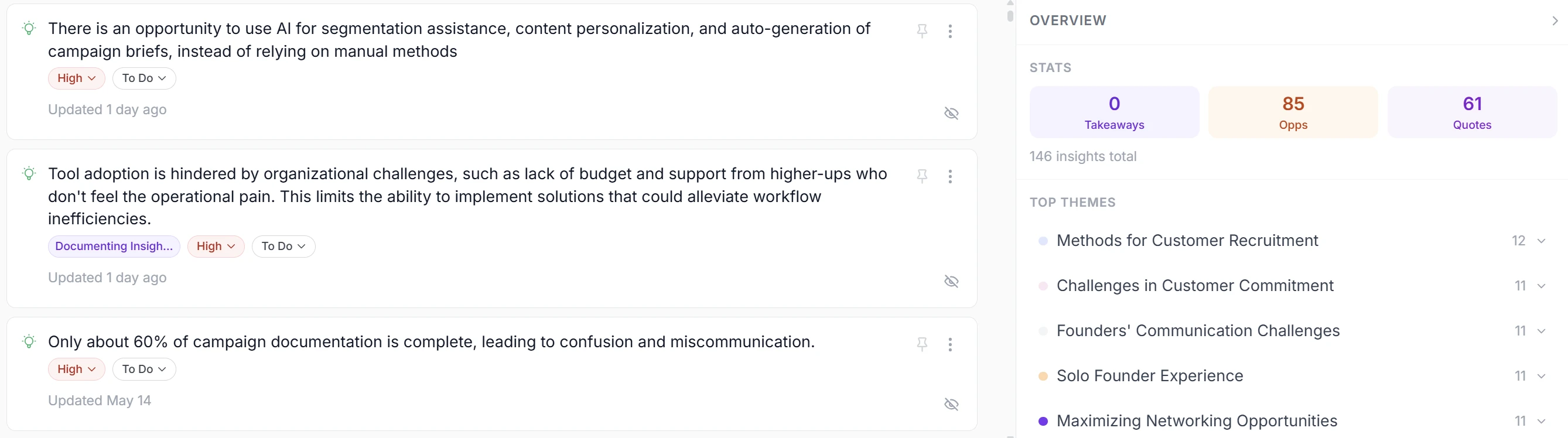
- Surfaces patterns — AI synthesis, theme clustering, cross-study insights.
- Connects to decisions — routes findings to personas, priorities, and roadmap.
If any leg is missing, adoption suffers.
Step 1: Audit your current research
Before choosing a tool, understand what you have:
- Where does research live today? Zoom, Google Drive, Notion, Otter, Slack?
- How much historical research exists? 10 interviews? 100?
- Who needs access? Just researchers, or PMs, designers, GTM too?
- What decisions should research inform? Roadmap? Personas? Positioning?
This audit shapes your requirements and migration plan.
Step 2: Choose the right tool
Match the tool to your workflow:
| Need | Tool type |
|---|---|
| Store and tag findings | Dovetail, Condens |
| AI synthesis at scale | Marvin, Intervool |
| Research to roadmap | Intervool |
| Just transcription | Otter, tldv, Grain |
If you're a product team (not a dedicated research team), prioritize tools that connect research to decisions — not just storage.
(See our UX research repository page for how Intervool handles this, or the best user research repositories roundup for the field.)
Step 3: Establish structure and conventions
A repository without structure is just a fancy folder. Define:
Tags and taxonomy
- What tags will you use? Pain points, opportunities, feature requests, objections?
- Who owns the taxonomy? Someone needs to maintain consistency.
- How granular? Too many tags = nobody tags. Start simple.
Naming conventions
- Interview titles:
[Date] [Company] [Person] - [Topic] - Consistent naming makes search work.
Linking rules
- Every insight links to the source quote and timestamp.
- Non-negotiable. This is what makes the repository trustworthy.
Step 4: Migrate historical research
Don't skip this. A repository with only new research feels empty and unhelpful.
- Prioritize recent research — last 6-12 months is most relevant.
- Upload recordings and transcripts — let AI extract insights.
- Tag lightly at first — perfectionism kills momentum.
- Iterate — you'll refine structure as you use it.
Step 5: Make it part of the workflow
This is where most repositories die. To survive:
After every interview
- Upload the recording immediately (or use auto-capture).
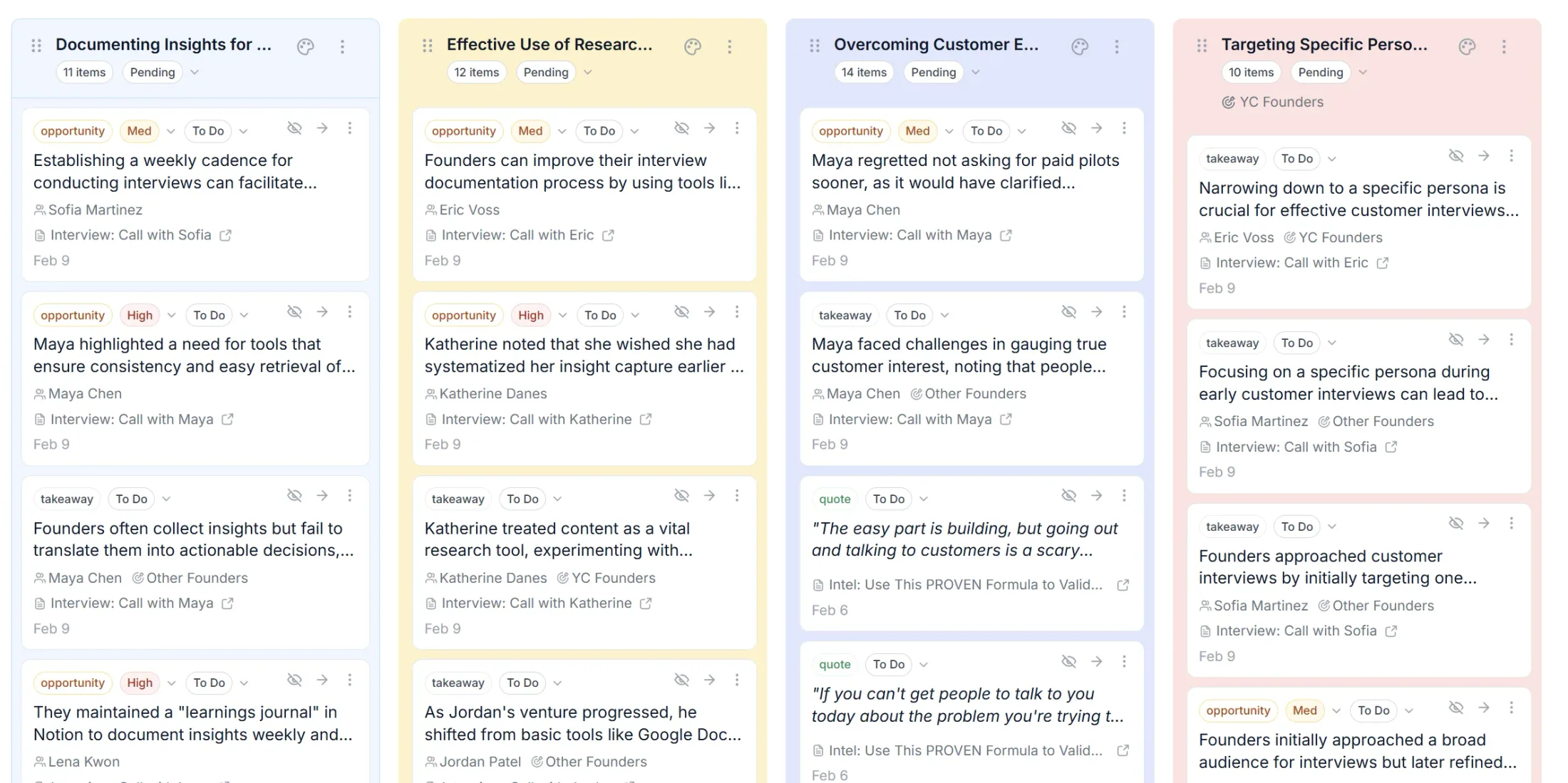
- Review AI-generated insights and promote the good ones.
- Tag and link to relevant themes or personas.
Weekly or bi-weekly
- Review new insights as a team.
- Cluster into themes.
- Connect themes to roadmap discussions.
Quarterly
- Audit the repository: remove duplicates, update stale tags.
- Review what themes are growing or shrinking.
- Share findings with leadership.
Step 6: Connect research to decisions
The repository compounds when insights route to action:
- Themes → Opportunities — recurring pain points become product bets.
- Opportunities → Roadmap — prioritize by impact and evidence strength.
- Personas → Segmentation — know who you're building for.
If your repository doesn't connect to your roadmap process, it will become a graveyard.
Common mistakes to avoid
Over-engineering tags
Start with 5-10 tags. Add more only when you need them.
Requiring manual transcription
Use AI transcription. Manual is a bottleneck that kills consistency.
Treating the repository as "the researcher's job"
Everyone who talks to customers should contribute. Make it easy.
Not connecting to decisions
If insights don't reach the roadmap, the repository is just storage.
The repository that compounds
The best research repository isn't the one with the most features — it's the one your team actually uses. That means:
- Fast to add research (auto-transcription, AI extraction).
- Fast to find research (search, themes, personas).
- Fast to act on research (connected to roadmap).
Intervool is built for this loop. It captures interviews, synthesizes insights with AI, and carries them into a prioritized roadmap — so research compounds into decisions, not dust.