Product teams run dozens of customer interviews, user tests, and discovery calls — then struggle to find what they learned three months later. A qualitative research repository solves that problem: it centralizes qualitative data so insights are organized, searchable, and reusable. This guide covers what a qualitative research repository is, why you need one, the features that matter, and how to pick one that actually drives decisions. The bar to clear is real: Nielsen Norman Group found 29% of research repositories have no owner at all — the fast track to scattered insights going stale.
What is a qualitative research repository?
A qualitative research repository is a centralized system for storing, organizing, and retrieving qualitative research — interviews, observations, notes, transcripts, and the insights derived from them. Unlike a folder of recordings or a Notion database, a proper repository keeps every insight linked to its source, makes past research searchable, and helps teams build on what they've already learned instead of starting fresh each study.
The best repositories go further: they use AI to surface patterns across conversations, connect research to product decisions, and ensure insights reach the roadmap — not just the archive.
Why product teams need a research repository
Without a repository, research scatters across Zoom recordings, Google Docs, Notion pages, and slide decks. The result:
- Duplicate work — teams re-run studies because they can't find past findings.
- Lost insights — critical quotes and patterns disappear into forgotten folders.
- Siloed knowledge — only the person who ran the study knows what it found.
- Gut-feel decisions — without accessible evidence, roadmaps default to opinions.
A repository fixes this by making research a team asset, not a personal artifact.
Key benefits of a qualitative research repository
1. Single source of truth
One searchable home for all qualitative data. No more hunting across tools.
2. Compounding knowledge
Past research stays findable and reusable. Every new study builds on what came before.
3. Faster synthesis
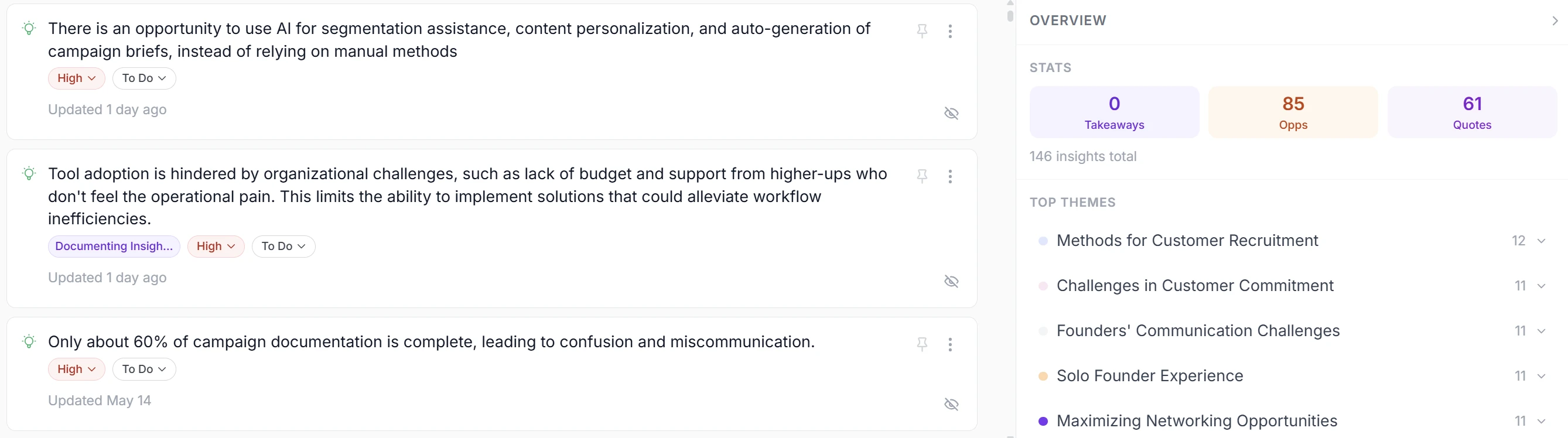
AI extracts themes and patterns across conversations, cutting synthesis time from days to hours.
4. Evidence-linked decisions
Every insight traces back to its source quote, so findings stay trustworthy and defensible.
5. Team-wide access
Designers, PMs, engineers, and GTM can all search the same research — breaking down silos.
6. Historical context
Track how customer needs shift over time. Spot trends before competitors do.
What to look for in a research repository
Not all repositories are equal. Here's what separates the useful from the forgotten:
Must-haves
- Search and filtering — fast retrieval by keyword, tag, date, or persona.
- Evidence linking — every insight traceable to the exact quote and timestamp.
- AI synthesis — automatic extraction of pain points, themes, and patterns.
- Transcription — video and audio transcribed and searchable.
- Access control — workspace isolation and role-based permissions.
Nice-to-haves
- Copilot/chat — ask questions across your entire research base.
- Integrations — clean import/export with your stack.
- Personas and segments — group insights by customer type.
- Roadmap connection — route themes directly to product decisions.
Qualitative research repository examples
The market has several approaches:
- Dovetail — rich tagging, highlighting, and search. Strong for dedicated research teams.
- Condens — clean documentation and sharing. Simpler than Dovetail.
- Marvin — AI synthesis on top of a repository.
- Looppanel — transcription and analysis focused on user interviews.
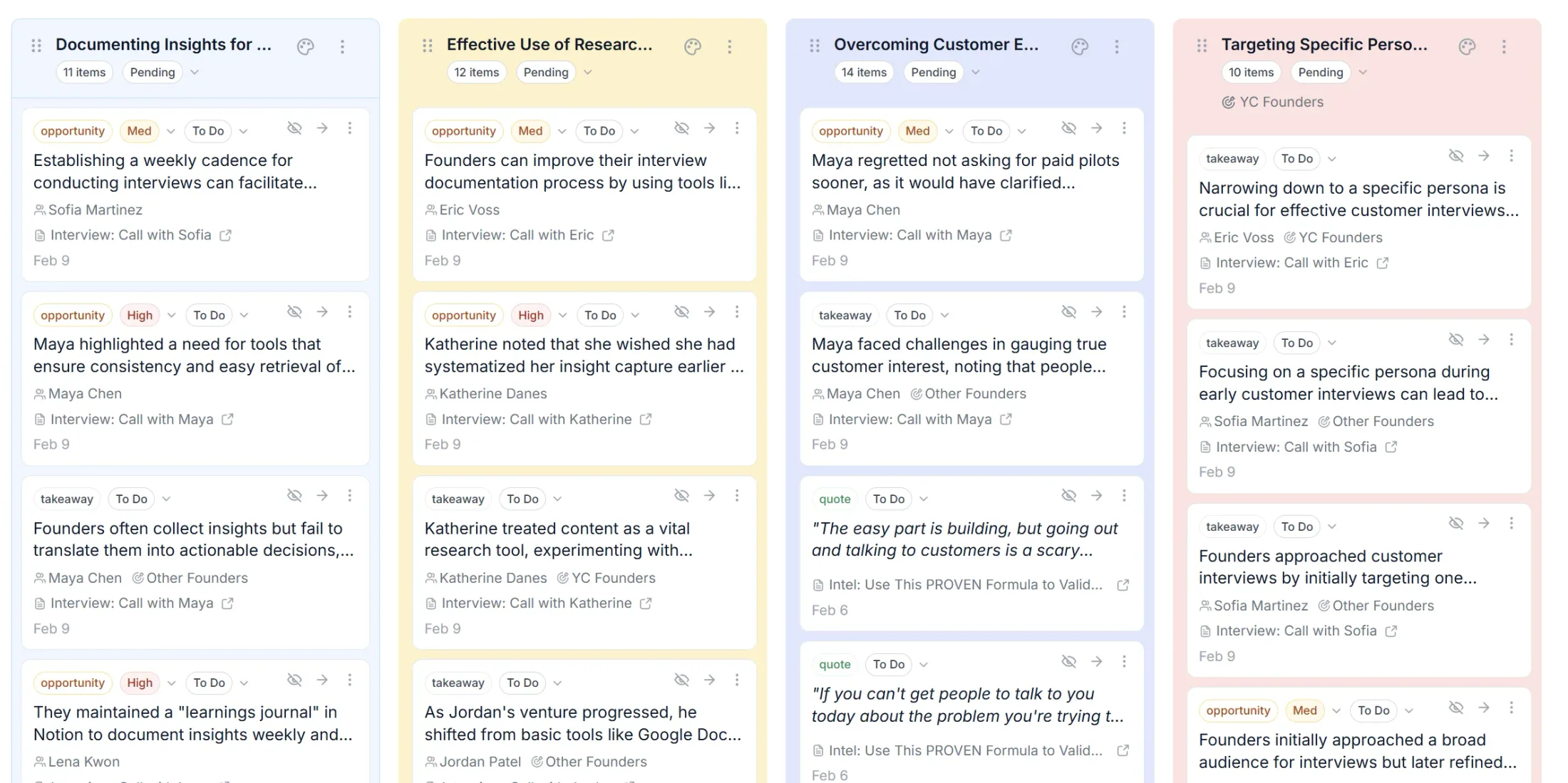
- Intervool — repository plus synthesis plus roadmap. Captures interviews, extracts evidence-linked insights, and carries them into personas, themes, and prioritization — so research drives decisions, not just storage.
(See how Intervool works as a UX research repository, or compare the best user research repositories.)
Repository vs. spreadsheet: when to switch
Spreadsheets work for 5-10 interviews. Beyond that:
- Search breaks down (Cmd+F doesn't scale).
- Evidence linking is manual and fragile.
- Synthesis happens in your head, not the tool.
- Onboarding new teammates means re-explaining everything.
If you're running regular research, a repository pays for itself in recovered time and better decisions.
How to set up a research repository
- Audit existing research — gather recordings, notes, and transcripts from current tools.
- Choose a repository — match features to your workflow (see criteria above).
- Import historical data — upload past interviews so they're searchable too.
- Establish conventions — standardize tags, naming, and structure.
- Train the team — make sure everyone can find and contribute.
- Connect to decisions — route themes to your roadmap process.
The repository that drives decisions
The biggest risk with any research repository is that it becomes a graveyard — tidy, complete, and ignored. The fix is connecting it to the work: keep every insight linked to its source, surface what repeats, and route it to the roadmap.
That's how Intervool is built. It's a research repository that stores every interview, synthesizes insights with AI, and carries them into personas, themes, and a prioritized roadmap — so research compounds into decisions, not dust.