UX research has fractured into distinct tool categories — there's no single platform that wins all of them. The smart move in 2026 isn't "one tool to rule them all"; it's a small, deliberate stack: an interview-to-insight hub plus one or two specialists. This guide lists the best UX research tools by category so you can assemble the right one. And you don't need heavyweight tooling to learn a lot — Nielsen Norman Group found that testing with just five users surfaces about 85% of usability problems, so the goal is a stack that makes small, frequent studies easy, not one that maximizes sample size.
How to choose UX research tools
Match tools to your research, not the other way around:
- Mostly interviews and qualitative depth? Start with an interview-to-insight and repository tool.
- Validating designs and flows? Add an unmoderated usability-testing tool.
- Need participants? Add a recruiting panel.
- Drowning in feedback at scale? Add an AI synthesis or analytics tool.
Small teams should resist buying everything — a single strong hub plus one specialist covers most needs.
Interview to insight & research repository
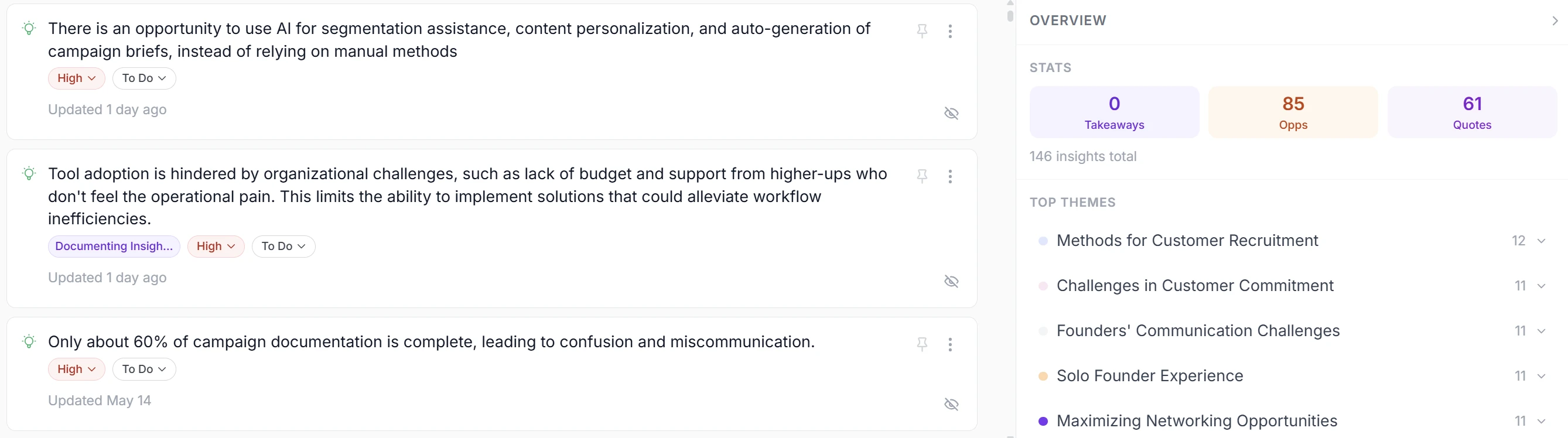
This is the core of qualitative UX research: capture interviews, synthesize them, and keep the insight findable.
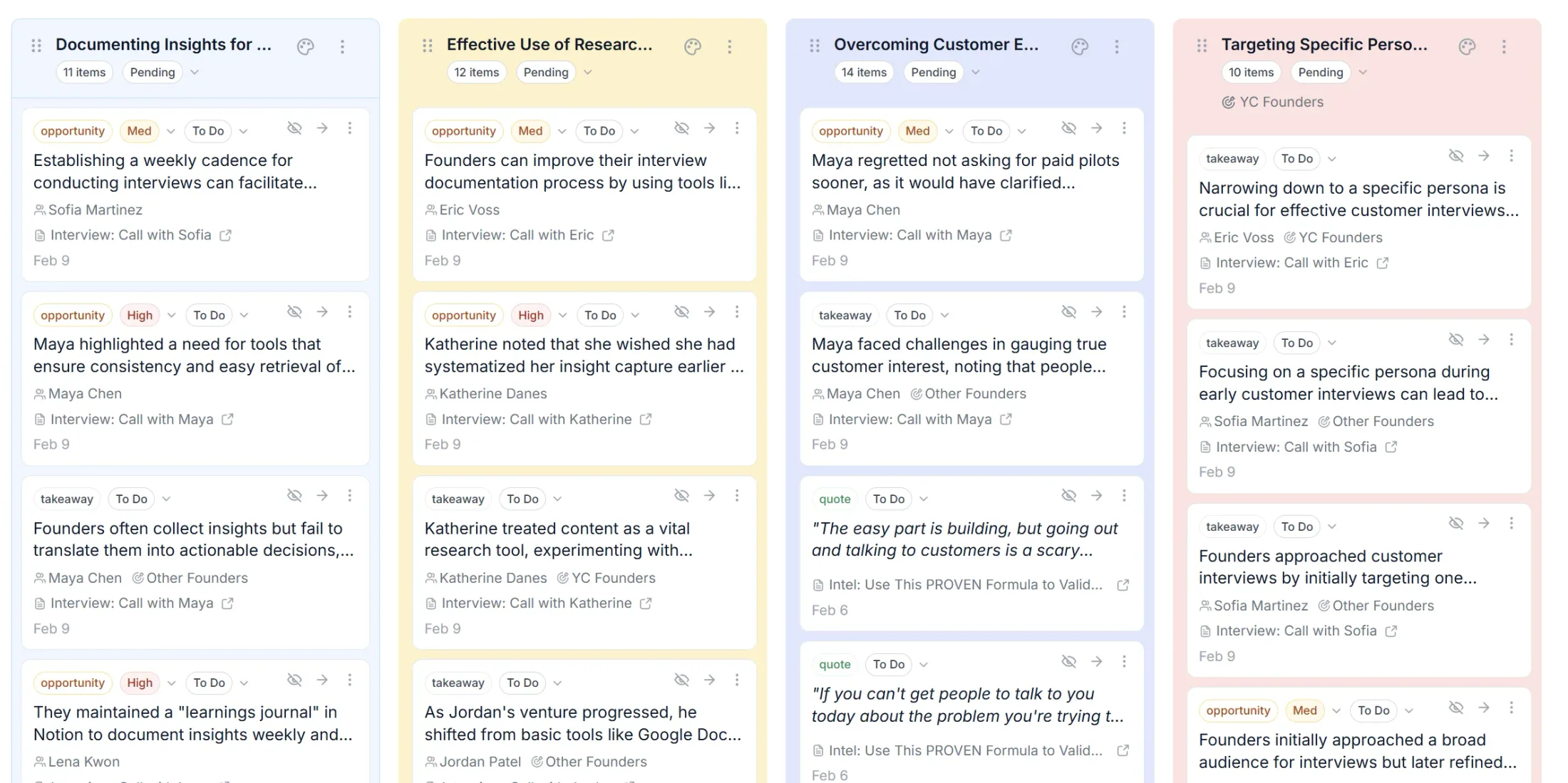
Intervool — best for turning interviews into a roadmap. Intervool captures and transcribes every interview, uses AI to extract evidence-linked insights and cluster them into themes, keeps everything in a searchable research repository, and carries it through to a prioritized roadmap — each decision one click from the customer quote behind it. Where most repositories stop at storing and tagging findings, Intervool is built to make research drive decisions. It's a strong fit for founders, PMs, and lean UX teams who want interview-to-insight without a five-tool stack or a dedicated researcher. (See how it works · analyze your interviews.)
Dovetail — the market-leading dedicated research repository; import transcripts, highlight quotes, tag by theme. Condens and Marvin are strong repository + synthesis alternatives, and EnjoyHQ and Notably round out the category. (See our comparison of Intervool vs Dovetail, Condens, and Marvin.)
AI tools for user research
AI now spans the whole workflow — moderated AI interviews, synthesis, and analysis. Intervool applies AI to your interviews (extraction, theme clustering, a research copilot) while keeping every insight linked to its source. Perspective AI runs AI-moderated interviews at scale; Marvin offers a dedicated AI-synthesis layer. The throughline: use AI for the volume work — transcribing, extracting, clustering — and keep human judgment for what to build.
Usability testing tools
For validating designs, prototypes, and flows (Intervool isn't a usability-testing tool — pair one of these with it):
- Maze — unmoderated testing straight from Figma, with task metrics and flow analysis.
- Lyssna (formerly UsabilityHub) — fast, affordable five-second tests, preference tests, and card sorting; great for startups.
- UserTesting — enterprise-scale moderated and unmoderated testing with a large panel.
- Optimal Workshop — the standard for information architecture (card sorting, tree testing, first-click).
- Useberry — deep prototype testing for Figma-heavy teams.
- Lookback — moderated sessions and mobile testing.
(More detail in our usability testing tools guide.)
Participant recruiting
- User Interviews and Respondent — recruit from large participant panels with demographic screening. Pair recruiting with your interview-to-insight hub: recruit there, analyze in Intervool.
Behavioral analytics
To see what users do (not just what they say): Hotjar (heatmaps, session recordings, surveys) and Pendo (in-app analytics + feedback). Use these alongside interviews so the "why" meets the "what."
A sensible 2026 UX research stack
- Solo / small team: Intervool (interviews → insight → roadmap) + Lyssna (lightweight usability).
- Product team: Intervool + Maze (usability) + Hotjar (behavioral) + User Interviews (recruiting).
- Enterprise: Intervool or a dedicated repository + UserTesting + Optimal Workshop + an analytics suite.
The constant in every stack is the layer that turns conversations into decisions. Start a free trial of Intervool or see how it works.